













Choose the help you need
Reference only: these buttons do not change game bindings, pause the story, or save progress.
Desktop controls
Click inside the loaded frame. Use WASD to move, the mouse to look, Space to jump, and E to interact. Test one action at a time; current on-screen instructions take priority.
A different kind of room to survive
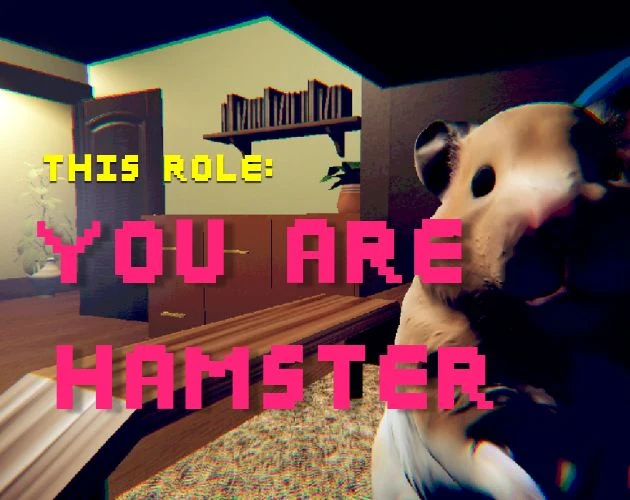
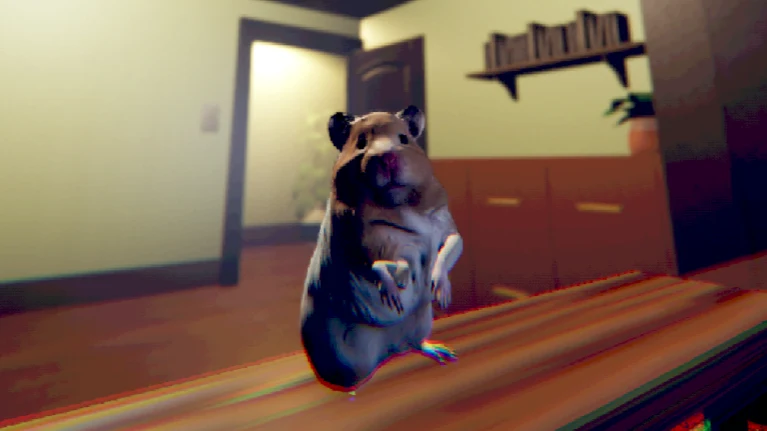
You Are Hamster introduces a very different body and pace to Cobb's collection of unsettling browser experiences. You are not carrying Cobb's objectives into another map. This is SeenThai's small story-driven horror comedy, built around a hamster in an owner's room and the disturbing possibility that the animal notices something the owner does not.
That change of scale matters more than any borrowed survival vocabulary. Ordinary furniture can dominate the picture, and a scene can invite curiosity before it produces alarm. The useful approach is to observe what this game actually presents, not to decide in advance that every doorway is an escape route or every noise is a pursuit warning.
The page keeps the player close to the top so that you can begin without working through the whole guide. The sections below are optional preparation and troubleshooting. They do not claim to describe a guaranteed winning route, hidden enemy rules, or a combat system.
Establish control before looking for danger
Begin by testing a short, deliberate movement after the scene loads. WASD moves the character in the original instructions; Space is jump and E is interact. The supplied browser page also lists mouse looking. Confirm that each action reaches the game before trying to interpret the room's story cues.
Input can fail for a mundane reason: the browser still has focus on a page link or video. Click inside the game, release any held key, and test again. A movement that begins only after that click is a focus issue, not evidence of an invisible barrier or a disabled character.
Do not assign extra actions to familiar keys without an on-screen instruction. Cobb habits can be useful for staying calm, but they are not documentation for this title. The compact control selector below separates desktop inputs from browser and touch considerations so that the distinctions remain easy to check.
Build orientation from stable objects
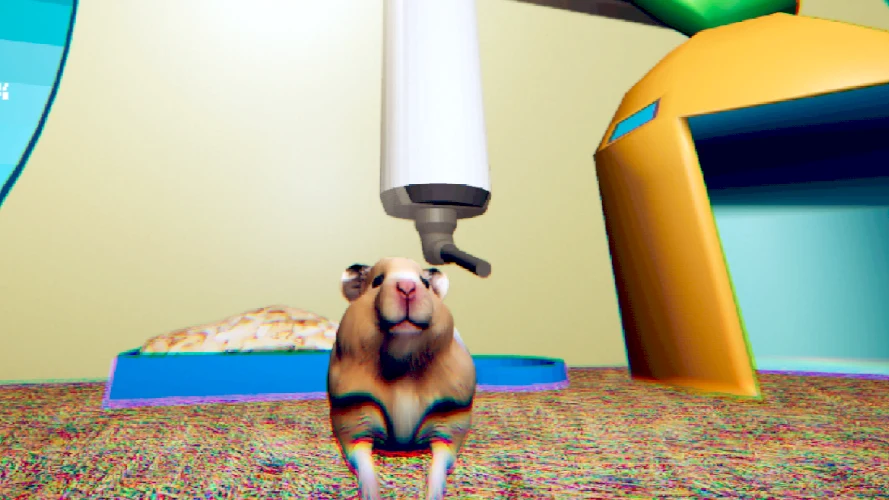
Choose a visible reference before changing direction. The author images include furniture and cage equipment that demonstrate the domestic setting. A recognizable shelf or bright opening can help you describe where you were looking, even when it has no special gameplay function.
Then change one part of your view at a time. Moving and rotating together may feel natural, but it can obscure why the scene suddenly looks unfamiliar. If you lose orientation, return your attention to the last recognizable object rather than adding more random motion. This is a general navigation technique, not a prescribed route through the story.
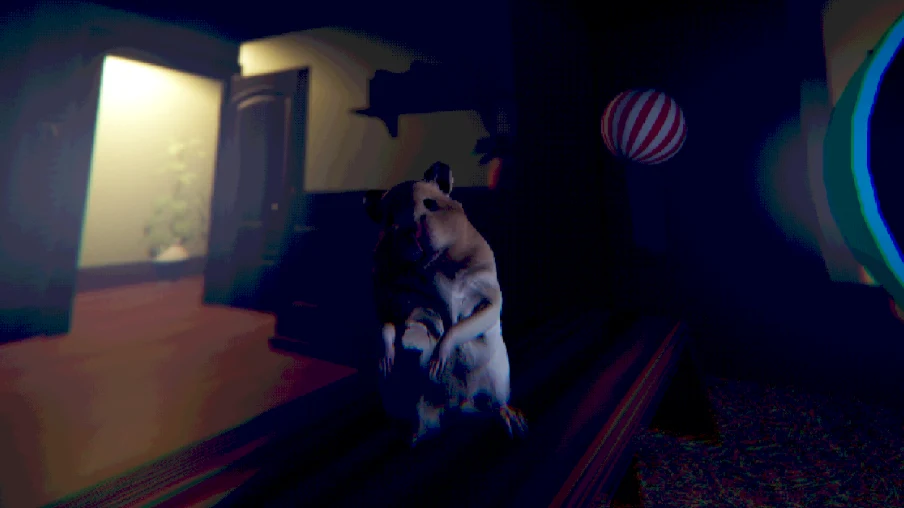
The screenshots are promotional references from the creator. They are not annotated maps of the hosted build. Neither their framing nor the position of a prop proves where your next interaction must occur. Treat them as visual context and use live feedback for decisions.
Distinguish a prompt from a guess
A horror setting makes it easy to interpret every unusual detail as a signal. That tendency can be enjoyable, but it can also produce unnecessary control experiments. Before trying an action repeatedly, ask whether the current screen actually invited it or whether you supplied the instruction yourself.
For an interaction, make one clear attempt and watch what changes. If nothing responds, adjust position or attention carefully rather than holding E indefinitely. Repeated input can make it harder to tell whether a scene reacted to your first action, a later action, or an event already in progress.
This guide does not label every object as usable. It also does not supply imaginary item locations or a memorized sequence presented as universal. The goal is to help you read the scene in front of you, including moments where observation is more useful than pressing another button.
Let tension and comedy coexist
The title's comic appearance is part of the premise, not a guarantee of a gentle pet game. A familiar room can feel strange when the perspective changes. At the same time, an absurd moment does not necessarily announce a mechanical puzzle that needs to be optimized.
Players arriving from movement-heavy horror may instinctively keep searching for the fastest safe route. Here, that instinct is worth slowing down. Give a new scene a moment to communicate before choosing an action. You may understand the situation better by watching than by immediately running toward a presumed objective.
Keep the sound at a level that is comfortable before you start. Audio can contribute to atmosphere, but louder volume is not a skill requirement. If the tone is not enjoyable for you, leaving is a reasonable choice; the page does not treat finishing as a test of courage.
Know what the browser controls do
The Play button creates an iframe using the supplied host address, including its touch-version parameter. The surrounding Fullscreen control requests a larger presentation of that frame. Neither action changes the game's authored objectives, grants a save point, or confirms that every asset has loaded.
If fullscreen is unavailable, the player remains usable in the page and a direct link is provided. Browsers may reject fullscreen because of platform support or permissions. A rejected request should not be mistaken for a game-over event. You can continue without it if the ordinary view is comfortable.
On phones, first inspect the host's visible touch interface. The entry loads a touch-control script, but this page has not established complete playability on every handset. Test looking, moving, jumping, and interaction separately; if one essential action is inaccessible, a keyboard-and-mouse setup is the safer alternative.
Treat interruptions as part of preparation
The original creator describes a brief experience without pause or save features. Plan for that limitation before loading rather than trying to manufacture a pause by changing tabs. The browser may stop accepting your input while the game continues, or the device may suspend work in a way that does not preserve a reliable return.
An approximate ten-minute description is not a performance target. You may need more time to understand an interaction, adjust the view, or deal with loading. Reserve some margin instead of trying to rush the opening because a guide mentioned a short duration.
Do not trust a refreshed page to resume at the same point. The website's manual reading aids do not connect to the game, and an installed website shortcut is not a portable game save. If interrupted, assume you may need to begin again and avoid promising yourself a checkpoint that the original does not offer.
Consult footage without merging two runs
The embedded videos can help when a scene or input remains unclear. They can also expose later moments, so use them intentionally. A video timeline is not your session timeline, and a player in a recording may already have triggered something that you have not.
For a narrow problem, find a matching visual situation and observe the action immediately around it. Then stop the video and test that one idea in your own frame. Watching several unrelated scenes in succession can create a list of instructions that no longer fits the point you reached.
These are reference videos, not verified speedrun routes or promises about the browser edition's exact event order. YouTube captions, playback speed, and pause controls belong to the recording. They cannot slow or pause the embedded game beside the guide.
Separate loading problems from gameplay
A scene that never appears is different from a scene you cannot interpret. In the first case, note the host's message and allow an initial download to finish. In the second, check focus and the current prompt. Repeatedly refreshing both problems treats them as the same issue and can discard useful evidence.
If the website loads but the game does not, try opening the supplied game address directly. If the direct page also fails, the problem is not solved by switching between collection cards. Avoid unknown downloads offered elsewhere as a supposed browser repair.
After a successful visit, return to the collection with the correct expectation: this is a short, authored change of perspective, not a replacement for Cobb's specific mechanics. Its appeal comes from the room, the unusual protagonist, and the shifting tone. That is enough reason to explore it without inventing a larger system around it.
A four-step reset for confusing input
When control becomes confusing, first release every held movement key and mouse button. Next, bring attention back to the game frame. Then test a single movement in a small amount. Finally, look for a visible response before attempting interaction. This sequence is general input troubleshooting, not a secret mechanic or a way to bypass an authored obstacle.
If the response is still wrong, describe it precisely. A character that keeps moving after release presents a different issue from a key that never reaches the game. A view that rotates too quickly is different from a scene that is frozen. These distinctions can guide your next choice without changing several settings at once.
For a browser control problem, note whether you had just left fullscreen, opened another tab, or watched a video. That context is useful when reporting the issue. You do not need to provide private account information, and you should not allow someone remote access merely to inspect a simple loading message.
A fresh attempt can be appropriate after collecting those observations. Before reloading, accept that the current run may be lost. The goal is not to restart until something randomly works, but to learn which condition changed and whether the same basic action now behaves differently.
If the game itself presents a new instruction after the restart, follow that instruction rather than forcing an old assumption. Browser advice helps establish a working interface; it cannot replace the scene's actual rules.
You Are Hamster video references
Optional third-party footage. Later scenes and differences from this browser edition may appear.
Questions before playing
Is this another Cobb level?
No. It is a separate SeenThai game with its own room, controls, and narrative.
Should I expect a combat route?
No combat system is established by the basic source instructions. Follow the current scene instead of importing other games' mechanics.
How can I check an input problem?
Refocus the game frame and test one short WASD movement before trying multiple actions.
Which button handles interaction?
E is the original interaction key. Use visible prompts to determine when it is relevant.
Will fullscreen keep my progress?
Fullscreen only changes the view. It is not a checkpoint or save operation.
How long should I reserve?
The creator estimates about ten minutes for the original, with extra time possible for loading and learning controls.
Can I follow the screenshots as a route?
No. They are creator reference images, not a tested map of your current browser session.
What if a phone control is missing?
Inspect the host controls and try a desktop keyboard-and-mouse setup if an essential action is inaccessible.
Original game and reference artwork by SeenThai. The Windows original and supplied browser host are distinct presentations. This guide does not claim an officially supported mobile release.