









Before your next attempt
Manual preparation only. This does not read or save game progress. Checks reset on reload.
Read the corridor before moving
Odio el chocolate asks a different question from a quiet scene in a horror story: what can you still do while the space around you becomes difficult to read? Chocolate collection gives movement a purpose, while room entrances, turns and the visible resource display give it consequences. This guide treats the game as a sequence of navigation decisions, not a set of secret coordinates.
Cobb players may recognize the need to observe before committing to an action. That does not mean the games share enemy rules, maps or input timing. Wantho's project is a Baldi's Basics mod with its own presentation. Use the habits you learned from tense games, but leave behind any expectation that a familiar-looking warning must have a familiar solution.
The frame loads a browser-hosted edition. Original PC material and the videos below are useful references, not proof of exact version parity. Before following advice, inspect the current menu, choose a mode intentionally and note its displayed objective. A guide should help you read what is present rather than replace it with confident guesses about another build.
Establish a reliable camera turn
A useful opening exercise is to face a doorway, walk a few steps, and turn back toward it without sprinting. The source guide lists W A S D and mouse look. Test those inputs inside the frame, where the game can receive them. If your pointer leaves the frame or the page scrolls, restore focus before judging the controls.
Do not start by making the fastest possible turn. A controlled camera movement lets you identify whether you overshoot because of sensitivity, haste or uncertainty about the destination. These are different problems. Moving the camera repeatedly without selecting a landmark can make a perfectly ordinary room feel more confusing than its actual layout requires.
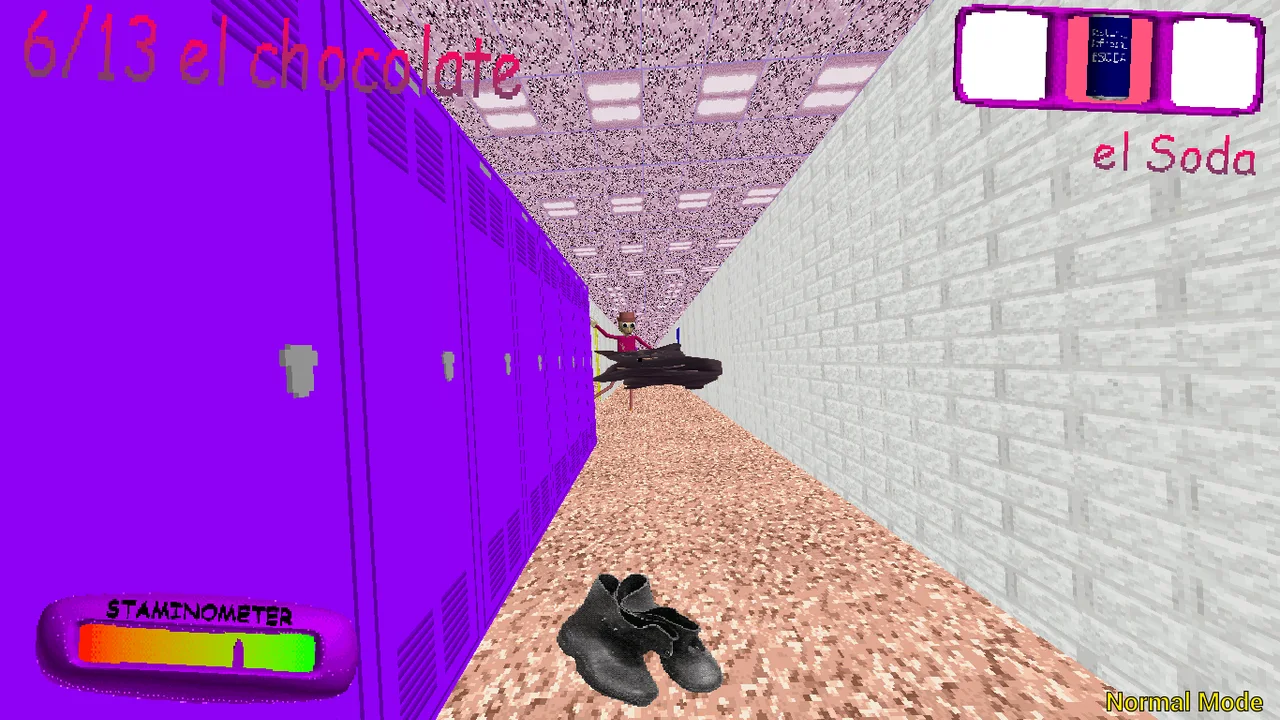
The hallway image provides a visual reference for this exercise. Notice edges and entrances that might help you reconstruct your orientation after turning. It is not a map of a guaranteed opening spawn. When your live view differs, trust that view. The purpose is to practise locating a return direction, not to force the session to match a screenshot.
Separate searching from escaping
While searching, move with a question: which room or object am I checking? During pressure, the question changes: which known direction remains usable? Trying to answer both at once can lead to repeated turns and unfinished inspections. Decide whether you are collecting information or acting on information you already have, then make a short, deliberate move.
This distinction is especially helpful around an unfamiliar corner. You do not need a fictional map solution to recognize that crossing it changes what you can see. Before passing through, identify the way back and consider whether the area behind you was actually checked. A remembered doorway is more useful than a vague feeling that everything was explored.
No route here is described as guaranteed safe. Pursuit, mode differences and the current run can make a plan obsolete. Reassess after a meaningful change rather than treating your original intention as a command. Returning to an earlier landmark can be a sensible navigation choice, but this guide does not promise it will always remove danger.
Confirm interactions instead of repeating clicks
The listed left-click action covers doors and chocolate pickups. Approach, aim and interact, then look for a changed state or counter. A click alone proves only that you supplied input. If you immediately repeat it without observing the result, you lose the chance to distinguish a targeting problem from an already-completed action.
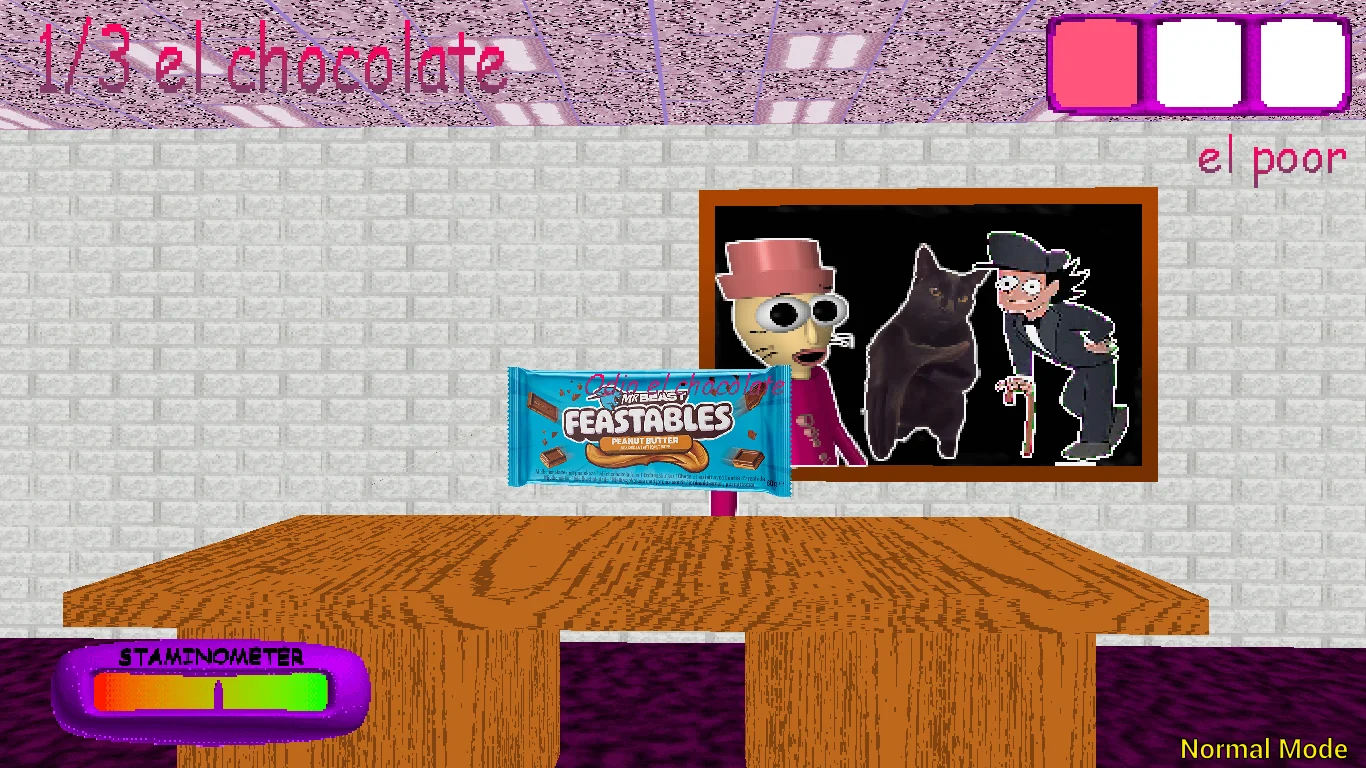
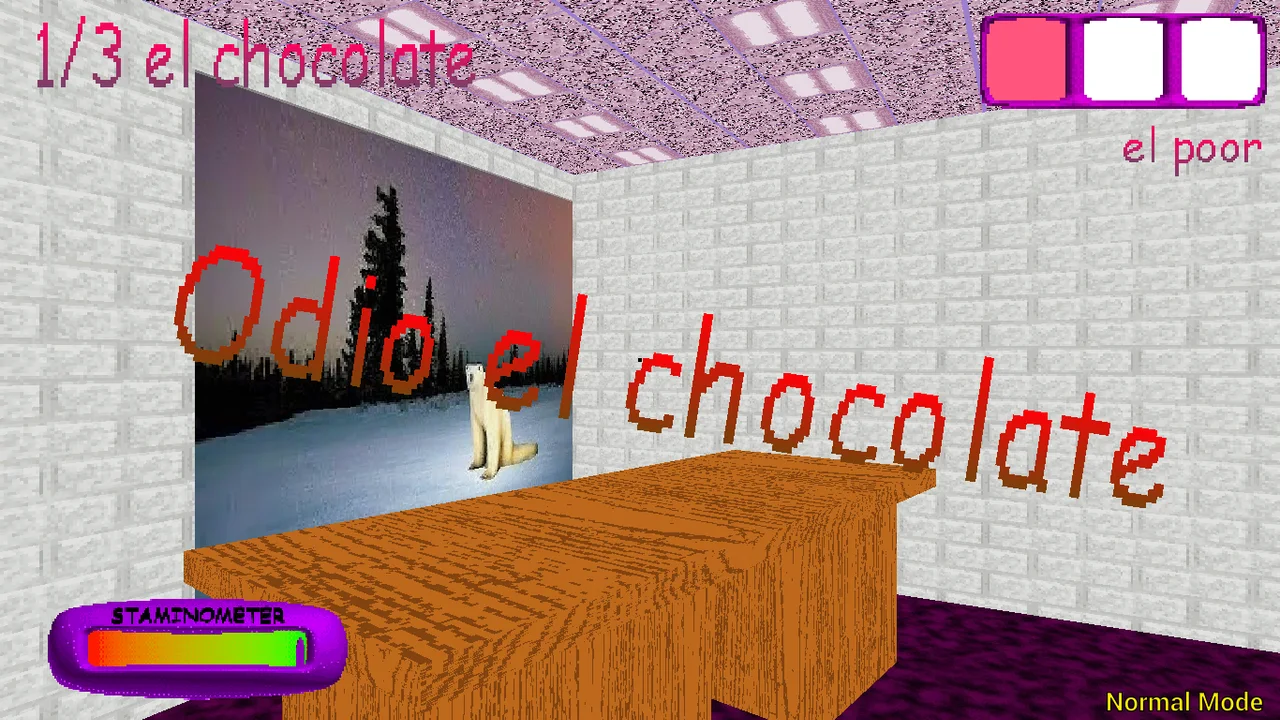
The desk illustration shows why context matters. An object can appear close in an image while still requiring a particular position in the game. The screenshot also cannot tell you what was collected before it was taken. Use it to identify the relationship between room furniture, view direction and a possible interaction area, not as an exact placement guide.
If an interaction fails, change one thing at a time: restore focus, reposition slightly, or aim more clearly. Avoid mixing several corrections into frantic movement. Once the display changes, move on deliberately instead of spending another moment confirming the same pickup through additional clicks. The game, rather than the website checklist, remains the authority on collected progress.
Spend a sprint on a destination
Left Shift is the sprint control described by the browser reference. Watch the visible stamina indicator and choose where you want the movement to end before holding it. Sprinting without a destination can trade a readable position for a confusing one. A useful burst leaves you facing a route you understand, not merely farther from your starting point.
At a calm moment, compare the handling of a turn while walking and while moving faster. The aim is not to publish a speed measurement. It is to notice whether your camera movement still matches your intention. A player can improve consistency by making fewer unnecessary corrections, even without knowing any internal stamina or pursuit numbers.
Do not read a depleted bar as proof that a run is impossible, or a full bar as proof that every decision is safe. Resources are only part of the situation. Visibility, orientation and your knowledge of nearby paths matter as well. This page deliberately avoids assigning invented recovery timings or claiming that a particular movement rhythm defeats every pursuer.
Make inventory use an observed action
Right mouse uses the selected item, while one, two and three select slots according to the supplied control guide. Those actions should be mentally separate. Before using anything, check the active slot. During tension, it is easy to remember the item you wanted while forgetting that the interface is still pointing to another one.
The inventory screenshot is a reminder to read the HUD rather than an item-effect encyclopedia. It shows a selection context, not a complete explanation of duration, range or interactions. If you want to investigate an item, look for the game's own instructions and compare the scene before and after using it. Do not infer every effect from the icon.
A clear practice note might say that an item was used but its outcome was uncertain. That is more valuable than a confident explanation created after the fact. Your next attempt can focus on observing feedback rather than repeating the same input blindly. The guide's checklist stores no game inventory and cannot tell whether an item remains available.
Treat a mode change as a fresh briefing
Main, Baltazar, Low Cortisol and Triple Trouble are documented names in the source material. Their labels are not substitutes for reading the run's objective. A partial display such as a counter with three in it does not by itself identify the finish condition. Check what the menu and HUD actually require in this edition.
Main references describe collecting chocolates and then reaching an exit. Plan to keep paying attention after the last pickup rather than immediately treating the run as over. The completion screen or game response is stronger evidence than a manual list filled on this page. We do not simulate a victory signal or claim to read the embedded game's state.
For comparing modes, carry over one skill and reconsider the rest. You can retain your focus-check habit while allowing the objective, pace or scene to differ. This avoids the common trap of changing a setting and expecting all prior assumptions to remain valid. A new label is an invitation to inspect, not a guaranteed difficulty ranking.
Recover calmly from technical interruptions
Before blaming a movement error on the game, check whether the iframe still has keyboard focus. Clicking a guide, the navigation or a video can change where input goes. Click back into the game, try a basic action and observe. Repeatedly refreshing is a much more disruptive test because it may discard an active session.
A slow or blank initial frame can originate at the remote game host even when this website loads normally. Give the loading process time, then use the direct link if necessary. Fullscreen is a display option and may require a user gesture; its failure does not mean the whole game is broken. The page offers a fallback message rather than silently claiming success.
A phone displaying the page does not prove that every keyboard and pointer action is available. Native Android pictures belong to that edition, and installing this website does not add a native joystick or guarantee offline play. Use the current game's supported input and keep your expectations tied to the edition you actually opened.
End with one repeatable lesson
Choose a concrete lesson after a session: recognize an entrance sooner, inspect the selected slot, or reserve a sprint for a destination. Keep it small enough to practise next time. A vague instruction to be faster can hide the real issue, while a specific observation gives your next attempt a clear purpose without requiring a complete walkthrough.
The optional videos use the source site's selections and may contain spoilers. If you watch, focus on one visible behavior rather than assuming the creator's entire route applies to your build. Pause the video before resuming the game so competing sounds do not obscure feedback. Watching a successful run is not the same as testing its assumptions yourself.
The interactive preparation panel is a companion, not a score tracker. Mark what you have checked and reset it when you begin a new visit. It does not identify enemies, synchronize chocolate counts or preserve a save. Keeping that boundary clear lets the tool support your attention without suggesting it knows more about the live corridor than you do.
Odio el chocolate video references
Optional footage selected by the source website. Spoilers and version differences are possible.
Questions before playing
Can I use Cobb's enemy rules here?
No. Shared horror themes do not mean shared enemy logic. Read this game's current instructions.
Why practise turning before sprinting?
It helps distinguish orientation problems from movement speed. A controlled return to a doorway gives you a repeatable reference.
What if left-click does nothing?
Restore frame focus, approach and aim, changing one condition at a time. Inspect the counter before repeating the action.
How do I select and use an item?
The reference lists keys 1, 2 and 3 for slots and right mouse for use. Check the live build and selected slot first.
Is a route in a video guaranteed?
No. The footage may use a different build or mode. Use it to observe behavior, not as a guaranteed path.
Does fullscreen fix loading?
No. It changes presentation only. The ordinary frame and direct link remain alternatives when fullscreen is denied.
What happens to preparation checks on refresh?
They reset. They are not inventory, achievements or game saves.
Are mode difficulty rankings verified?
No ranking is invented here. Read the instructions accompanying each mode in the player.